Appearance
Brand assets
Six pixel-art treatments, each with a matching Made with Saivage badge. All are available equally: choose the treatment that suits your surface. The light and dark samples below are independent of this site's theme.
The original SVG is preserved byte-for-byte. The five dark treatments preserve the same 244 ordered artwork rectangles and use self-contained, region-aware palette CSS. Each logo has a native 32×32 viewBox; each badge is 210×44 with native-scale artwork. These are standalone SVG files, not a palette picker.
Original (light treatment)
Download Original (light treatment) logo (SVG)Download Original (light treatment) badge (SVG)
Light sample surface

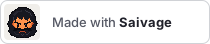
Dark sample surface
Golden blond, lighter peach face
Download Golden blond, lighter peach face logo (SVG)Download Golden blond, lighter peach face badge (SVG)
Light sample surface

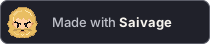
Dark sample surface
Honey light brown / hazel
Download Honey light brown / hazel logo (SVG)Download Honey light brown / hazel badge (SVG)
Light sample surface

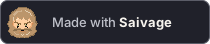
Dark sample surface
Ash light brown / blue-grey
Download Ash light brown / blue-grey logo (SVG)Download Ash light brown / blue-grey badge (SVG)
Light sample surface

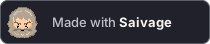
Dark sample surface
Light chestnut / green
Download Light chestnut / green logo (SVG)Download Light chestnut / green badge (SVG)
Light sample surface

Dark sample surface
Dark blond sand / amber
Download Dark blond sand / amber logo (SVG)Download Dark blond sand / amber badge (SVG)
Light sample surface

Dark sample surface
Use the files
The examples use absolute public Pages URLs. Copy the text from a treatment's disclosure above. Use an external <img> rather than injecting inline SVG: this keeps each SVG's IDs and palette styles isolated. No scripts, external fonts, stylesheets or images are needed by the files themselves. Badge text uses system fonts, not custom lettering, so its appearance can differ by platform.
For crisp icons, use integer multiples of 32 pixels (32, 64 or 128) and image-rendering: pixelated. The SVG artwork also retains crispEdges. Keep badges at their native 210×44 dimensions; do not squeeze either asset to a fractional size. The previews wrap rather than shrink on narrow screens.
A built Saivage instance serves equivalent asset URLs at /docs/brand/<filename> on that instance's origin. For downloaded files, use the corresponding relative URL, for example ./saivage-original.svg and ./made-with-saivage-original.svg, in place of the absolute URL. Keep the dimensions and meaningful alt text from the HTML examples.