Appearance
Follow the work
Quality tool/action results are scoped evidence. Inspect incomplete coverage and diagnostics even when findings are few; clean lint does not establish product correctness or replace typecheck/tests/review. Use the report's exact work links for full findings, recognizing that work files are mutable. Do not run both an action and an optional tool merely to repeat the same configured analysis.
Use this tour to understand what an autonomous Run is doing and what it has delivered. Start with the objective and results; open detailed evidence for a question, or use the Analyst when work needs new context or intervention. You do not need to watch each turn or manually advance the workflow. Exact UI behavior is in the UI contracts; the runbook owns consequential operating procedures. If the server never reaches readiness, go to startup diagnosis instead of looking for a repair UI. For first browser access, use deployment access and private credential setup; public UI assets alone do not grant protected observations.
Start with the work and outcome
Select the project to read its objective, accepted status and recorded result. Use these to distinguish the owner's overall goal from an individual child's delivery. Then follow relevant children to their implementation, investigation, tests or documents. The tree is a work breakdown, not a checklist for you to dispatch.
Look for useful milestones toward the complete objective, not just edits, commits or passing pieces. A bounded child's delivery may leave integration and other requirements with its parent; a milestone inside a larger unchanged brief is not completion of that child. Research that narrows uncertainty and evidenced no-change are legitimate progress. Compare earlier and current gaps before concluding that difficult or slow work needs a different approach.
During a Run, Planners coordinate children and corrections; configured review assesses evidence; the root Planner checks remaining authorized work before completion. The overview explains the loop. A changed node or returning child can be normal progression, not a request for human approval. Missing access or an unresolved owner decision may need you; ordinary engineering choices remain with the assigned agents.
When assessing a result, compare the actual workspace product and cited checks with the accepted brief. Read applicable review findings, including unresolved ones, before concluding that a task met its criteria. The tutorial's outcome step gives a small illustrative example. The controls later in this tour remain available whether work is ongoing, completed, blocked or failed.
Orient in the cockpit
The application has three destinations: Cockpit, Files and System, with the Analyst panel alongside. Cockpit places the tree left and selected card in the center. The global strip distinguishes project identity, runtime state, current work, REST observation and socket connection. Selecting a different card does not make it current work. Go to current work returns to the observed runtime target.
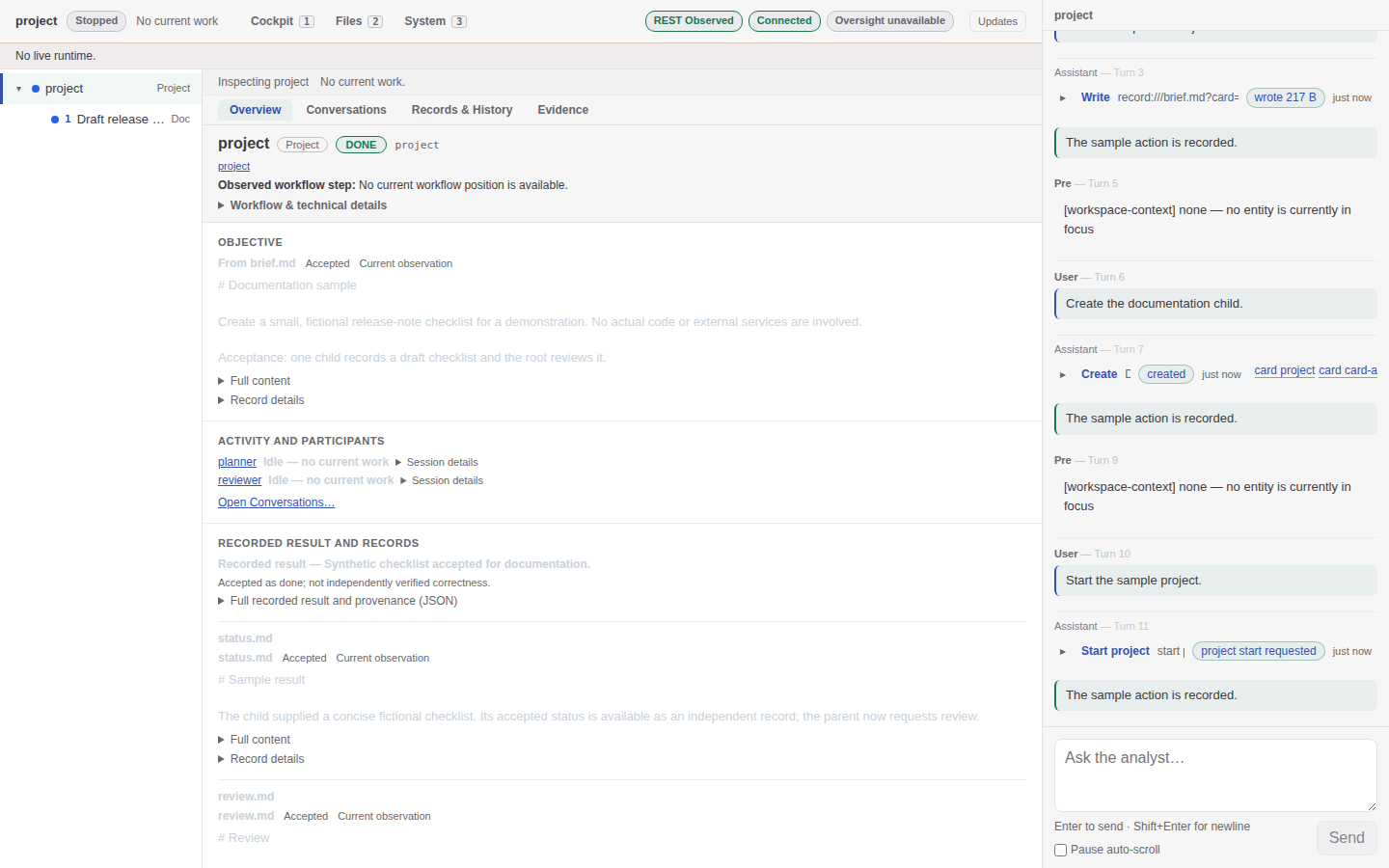
Overview of a fictional checklist in a disposable local fixture. Stopped/No current work describes that settled sample, not a live deployment or a correctness verdict.
The screenshots on this page are retained synthetic/disposable fixture examples, not current product qualification. Some show an earlier four-facet layout or older conversation controls; current navigation also includes Executions, and the instructions below describe current contracts. Open an image full-size for small labels.
Expand tree branches to discover children in committed sibling order. There is no tree title/state search/filter; ask the Analyst to locate work by known information or expand manually. The card header gives exact lifecycle text and Observed workflow step; a workflow position is not evidence an agent is currently running. Open Workflow & technical details for configured mechanics rather than treating them as the work product.
Choose a facet for the question
| Question | Facet and useful observation |
|---|---|
| What is this work and what happened? | Overview: objective, activity/participants, recorded result, declared records, relationships; unknown waiting reasons stay unknown |
| What is draft versus accepted, or what changed? | Records & History: current record state, accepted versions, card snapshots and diffs |
| What did an agent say or call? | Conversations: choose the exact named-agent session and retained segment |
| What did a finite action do? | Executions: retained non-LLM invocation/outcome and selected output files |
| Which exact source supports a claim? | Evidence: source-labeled catalogs and bounded card-scoped events |
done means accepted as done by the configured workflow, not independently verified correctness. An ordinary successful tool envelope may describe a process that exited 1; read the disposition. A blank/unavailable result is not an inferred success.
Inspect records and action results
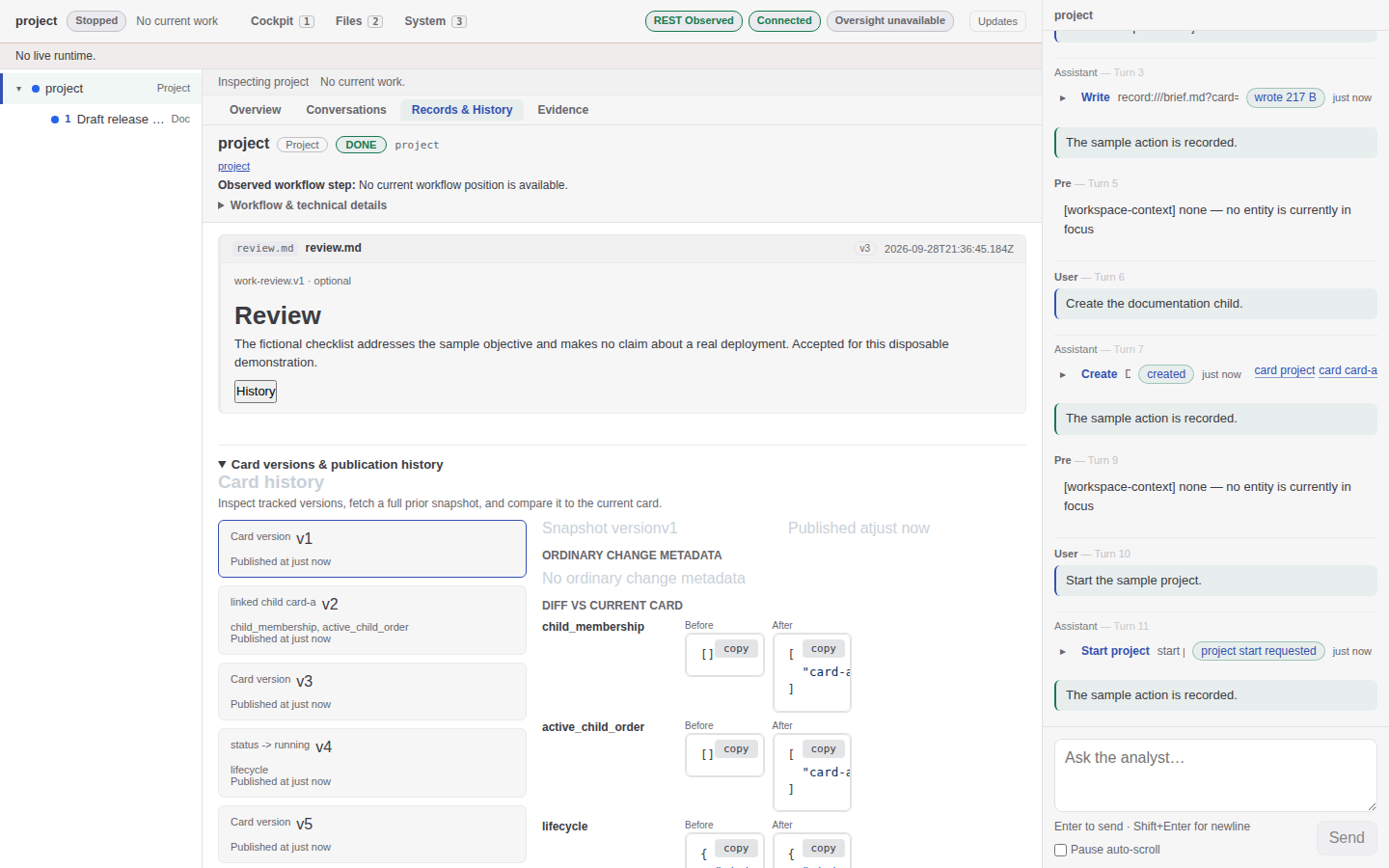
The fictional review and card-version diff are retained fixture evidence, not a review of a real deployment. Record document numbers and card/head revisions are different coordinates.
A Baseline0 starter is not authored approval. A Draft may be newer than the last Accepted document. Record history shows accepted documents; current head revision plus UUID identifies the mutable selection. Select an exact historical document/snapshot before comparing; never infer currentness from a number alone. Authorship labels identify agent, runtime, action output or external principal; none automatically supplies an independent review verdict.
Use Executions for an action or postcommit hook, not a missing agent transcript. Refresh its retained rows explicitly, open one invocation and inspect selected files. Missing completion does not mean still running; a selected workspace artifact may be its current content, not a historical snapshot. A shell stdout accepted record is the completed captured report with factual provenance, not semantic acceptance of the software. Advisory hook failure does not reverse the card's prior acceptance. See action execution and stdout.
For image results, metadata is not pixels. Inspect image explicitly fetches the exact recorded selected PNG into a dialog; current Files image inspection reads a fresh current source. Neither proves what a provider perceived. Ordinary JSON-looking image data is not an attachment. For missing process output use process state and missing output, not an assumption of running/completed work or a retry of the old command.
Read a conversation without losing your place
Choose a participant, then use Segment history for an exact retained segment. It does not stitch all segments into one transcript. Activation entries links to markers retained in that segment; absence of a marker or completion is not a liveness signal. Direct session/entry links retain the same contextual cockpit. An admitted global session instead shows its global purpose, not invented card context. If card context is unavailable, an admitted exact transcript can remain readable.
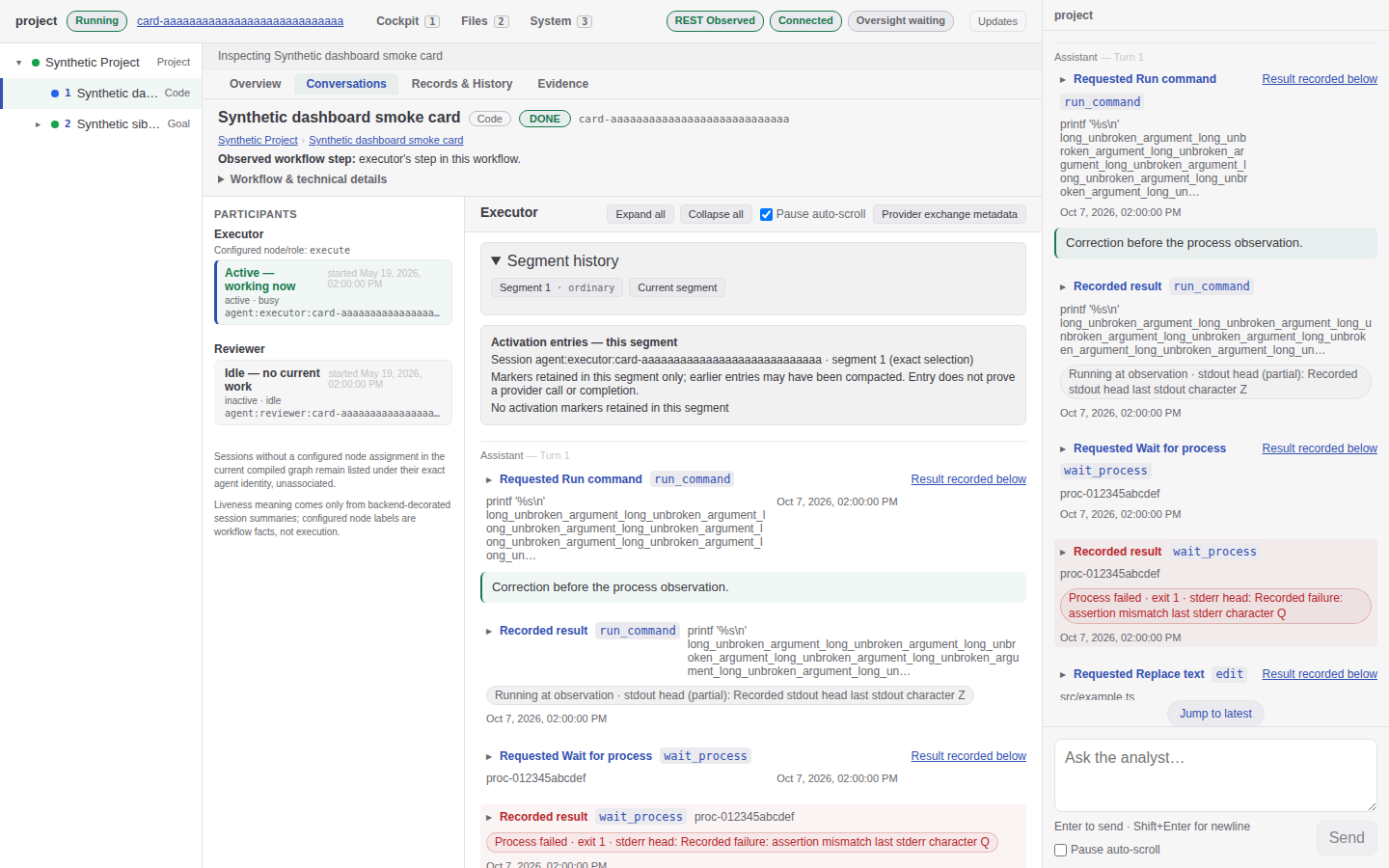
A synthetic smoke fixture illustrates distinct request/result positions and a failed process observation. Its older expand/pause controls are not the current inspector contract; a recorded call does not prove present execution.
Current inspectors have one reading scroll surface. Scroll away to stop following arrivals; Jump to latest resumes following the current tail. Analyst auto-scroll Pause is a separate reader control, not runtime Pause. Matched exchanges are grouped at the request position; Result recorded later preserves the fact that other entries intervened. Expand safe original request/result for full public projected values and exact anchors, not private provider wire data.
For instruction questions:
- Currently configured instructions lazily composes the server's loaded static declarations. It is not edited-on-disk text or a historical request. Refresh explicitly while open; closing discards the disclosure.
- Recorded system context shows retained preparation at its source position. Prepared text is not proof of delivery/perception.
- Compacted context separates accumulated summary, retained instructions, required model facts and source/continuation. A summary is context, not acceptance evidence or an assurance every old narrative fact survived.
- Technical details reads latest primary provider metadata for the session; selecting historical conversation does not make it historical request metadata.
See exact activation and instruction evidence.
Files and System
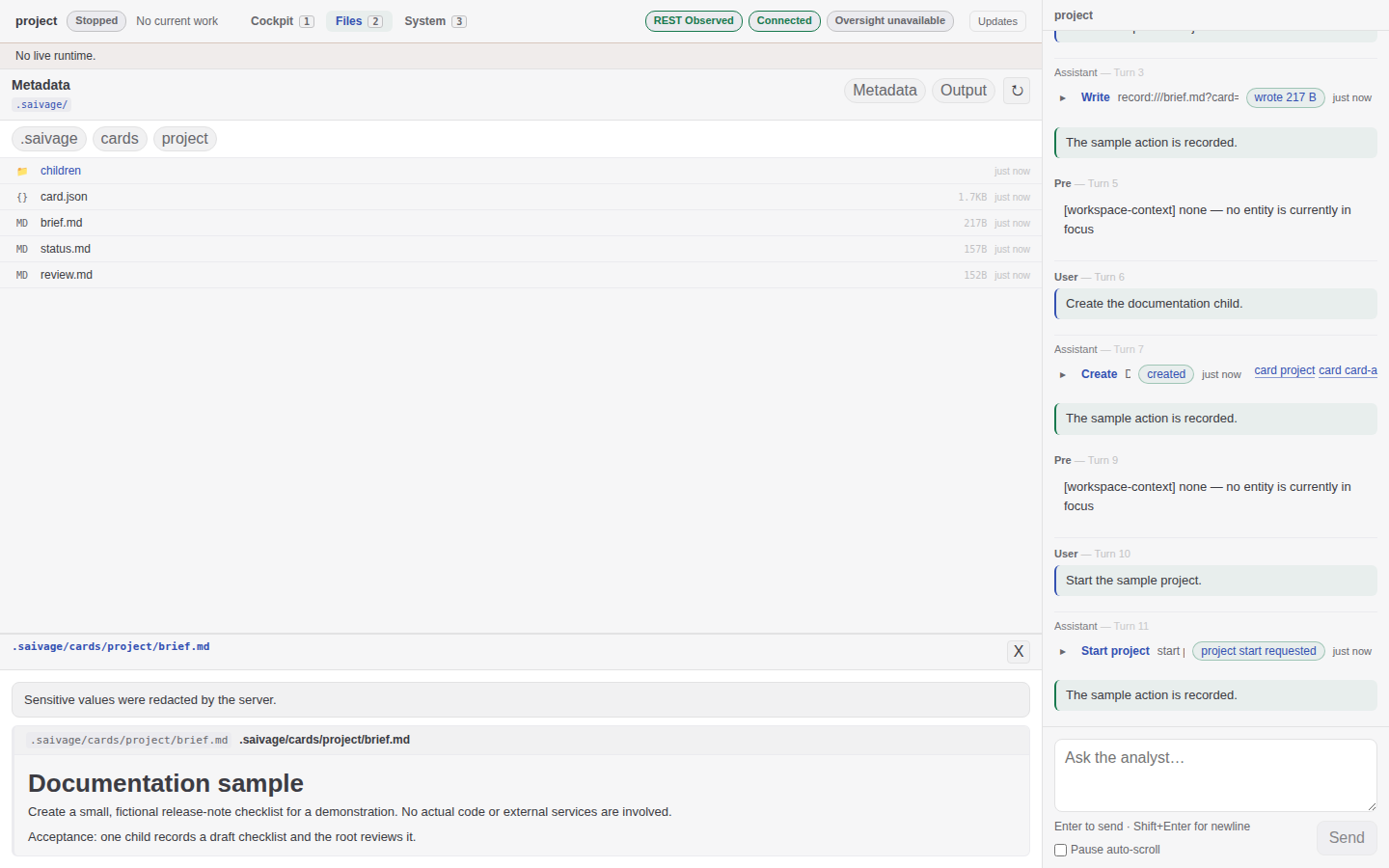
Files presents admitted virtual card documents and projected content, not the physical persistence layout or unrestricted secret-bearing files.
Files also supports admitted ordinary project content. Directory observations can age; refresh when needed. Generated card/record paths are virtual projections. Private configuration, provider diagnostics and repair attic are not a raw-file escape hatch. Images use explicit current-source inspection, not text preview.
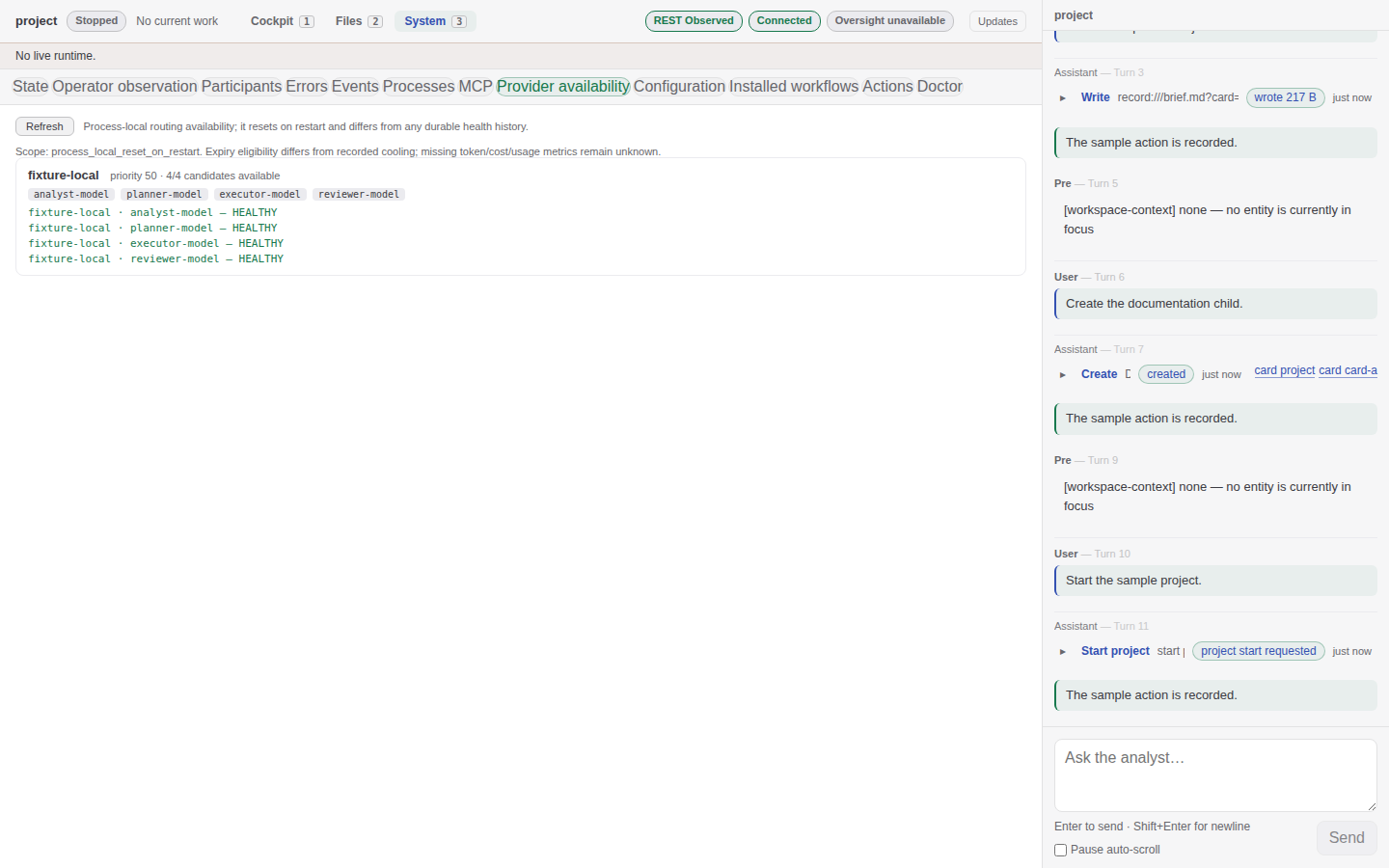
Synthetic provider availability is a local routing observation, not commercial service health, credential validation, future dispatch or durable history.
Select a System section to read it: Errors, Events, Processes, MCP, Provider availability, Configuration, Installed workflows and other diagnostics are independent observations. Installed workflows shows what compiled; saved YAML is not proof of hot-loaded workflow changes. Updates explains socket hints versus manual Refresh. System is not a provider-secret editor or general runtime control console; MCP observations do not launch a browser for you.
For no readiness, unauthorized views, provider errors or capacity refusal, use the diagnosis chapter. For an upgrade or corrupt current data, use state-adoption decisions. There is no degraded repair UI, automatic prior-selector fallback or permission to reset data from an observation error.
Supply context and steer while running
Intervene when the objective changes, a genuine decision is needed, or evidence justifies correction—not because each transition needs your approval. Use the Analyst panel for ordinary project changes. A concrete request separates observation, proposed action and execution intent:
Inspect card-a's current result and accepted review. Explain the remaining defect with exact evidence links. Do not start another Run or change the brief yet.
Or, when actually authorizing a change:
Send card-a this normal context: the accepted output must also support empty input. Preserve current work; report whether the notification queued or caused re-entry.
Normal context can queue during work. Urgent intervention is for justified interruption, not a synonym for importance. Queueing, partial propagation or a prose acknowledgment is not delivery or a guarantee of model action. Some mutations are legal mid-run while record edits have stricter admission: let the supported operation report its actual refusal rather than bypassing it with file writes. For cancellation/reopening use steering and cancellation.
If startup selected external-only Analyst, internal history remains inspectable but internal submission is disabled before ingress/provider work. Use the external client, not a hidden composer. Both exposes concurrent operations, not a shared chat or single-client lease. External body-free receipts do not supply an external transcript. Setup and disconnect/process/image consequences belong to the inbound MCP procedure.
Pause, resume, stop and catch up
| Intent | Ask for / use | What not to infer |
|---|---|---|
| Temporarily gate provider work | Pause, then Resume the same Run | Not all actions/commands have stopped |
| End project execution | Project Stop | Server, Analyst and external listener are still available |
| Launch stopped project work | Explicit Run | Startup/readiness is not Run |
| Shut down the application | Exact foreground/service shutdown | A Stop acknowledgment is not whole-application containment |
| Replace the server process | Capability-gated confirmed Restart server | Confirmation/scheduling is not evidence a replacement booted |
The global strip's only direct runtime mutation is confirmed Restart server when its authenticated capability is available; project controls normally go through the Analyst. CLI controls delegate through the verified lifecycle owner. See the full control procedure.
When returning to a long run, you can ask for a bounded catch-up with a supplied horizon:
Since 14:00 UTC today, summarize accepted work, current work, failures and decisions needed. Cite exact cards, record versions or session entries; distinguish unknowns.
Saivage does not remember your last visit or maintain a guaranteed catch-up ledger. Ask for evidence rather than a claim that every command/change was recorded. If work is blocked, supply the missing input and let its parent reactivate it normally; do not require a DONE/FAILED-style reopen for every blocked card. A paused Run needs Resume, not another Run merely because a notification queued. After project Stop or successful new-server recovery, a later explicit Run is distinct. Stop can leave durable cards running after live owners/current work have cleared; that is not proof of continued execution. See startup and Run recovery.
Oversight's optional default two-hour check starts after one full continuous eligible interval; it does not run immediately on Run. It can send an evidenced notification, not implement repairs itself. A lack of new children or messages alone does not establish a stuck project. Its bounded assessment can consider a recurring delivery gap despite local progress; advice is not acceptance or a guarantee of action. See shipped convergence guidance.